The AI development environment, rebuilt from the foundation up.
A fast, native-feeling development environment built around agents, modern development workflows, and a lightweight Go backend.
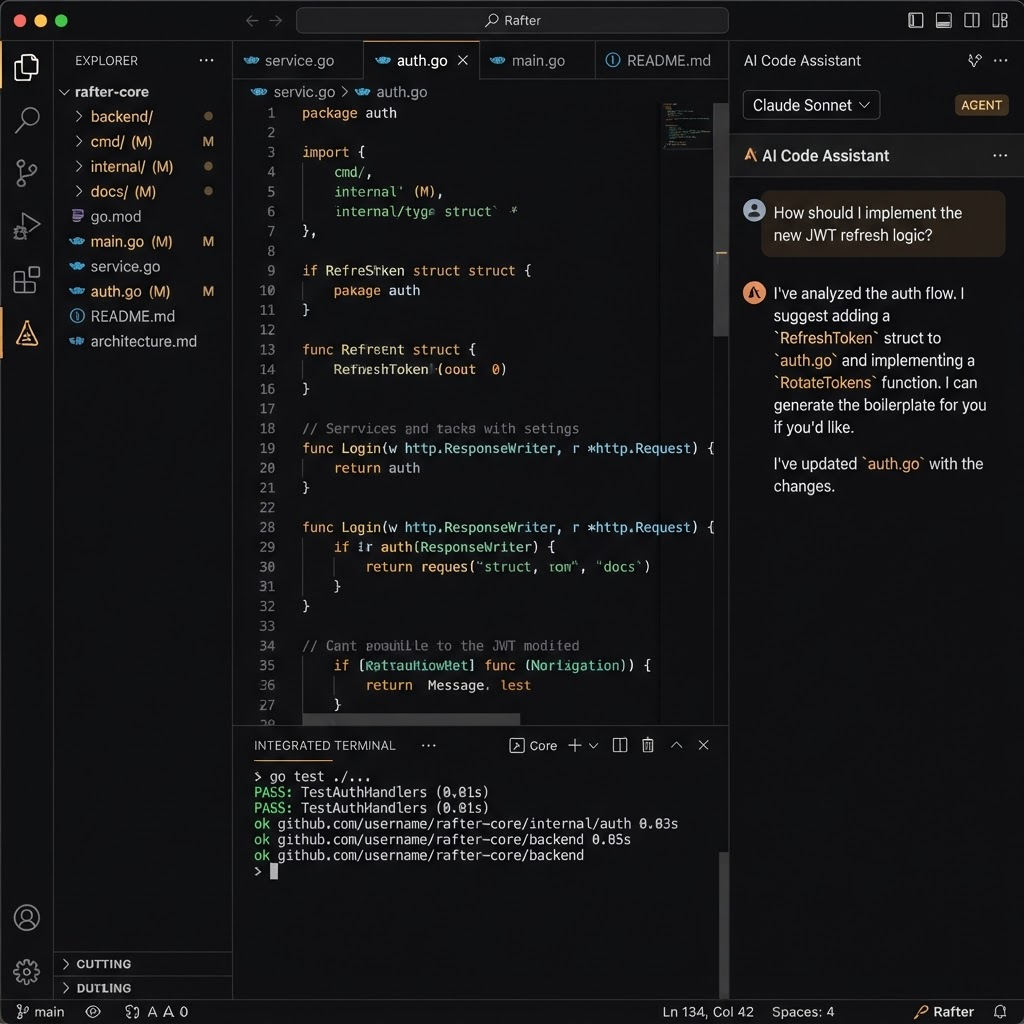
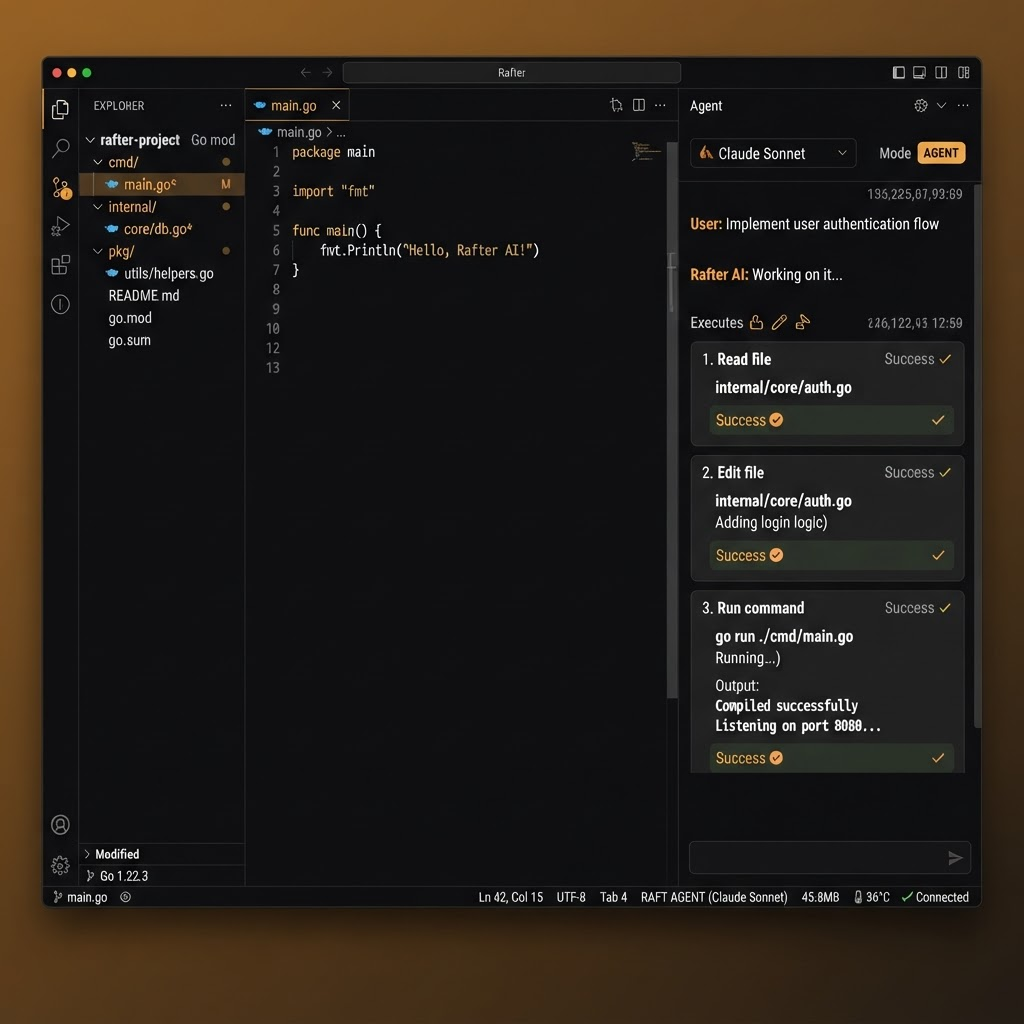
Familiar editor. Different foundation.
Rafter keeps the development environment developers already understand while replacing much of the traditional desktop IDE plumbing with a lightweight architecture built around Go, native services, and modern AI agents.
Lightweight architecture
Rafter uses Go and native application services instead of building the entire application around an Electron and Node.js runtime.
Built around agents
AI agents are not an extension bolted onto the side of the editor. They are part of the development environment.
Native development services
Git, language services, terminal integration, filesystem operations, and agent tooling are exposed through Rafter’s own architecture.
Your agents. One environment.
Use different coding agents and model ecosystems without changing development environments. You should not need an entirely different IDE for every AI ecosystem.
- Agent / runtimeModel
Cursor
Claude Sonnet
Multiple agents can expose overlapping models while Rafter provides one consistent interface.
route through RafterLet agents work. Keep control.
Rafter can review proposed actions before they execute, separating routine development operations from commands that deserve additional scrutiny. The goal is to make agent workflows less interruptive while preserving meaningful control.
go test ./...ALLOWrm -rf /var/dataASKAgents that can verify the result.
Rafter can capture application and website screenshots so development agents can visually inspect the result of their work — desktop applications as well as websites, not source-code text alone.
Your repository, instantly accessible.
Rafter maintains a structured understanding of the project so agents can retrieve architecture, conventions, decisions, repository structure, and relevant code context quickly. Fast, repository-local knowledge retrieval.
- docs/architecture.mdSystem overview & boundaries
- backend/auth/service.goSession + token issuance
- ADR-007Decision: stateless JWT sessions
The right workflow for the task.
Rafter uses the same mode selector you use inside the editor. Switch how the environment behaves depending on the work in front of you.
Agent — Give an agent a task and allow it to implement changes.
Complex work needs more than one prompt.
Rafter can support structured development methodologies and agent workflows rather than forcing every task into one giant conversation. Compose specialized agents into a defined pipeline.
A desktop IDE should feel like a desktop application.
Rafter’s design philosophy: own the plumbing, stay lightweight, and keep the editing experience developers already know.
Go backend
Core application services run through a lightweight Go backend.
Wails desktop shell
Native desktop integration without designing the entire application around Electron.
Monaco editor
The editing experience developers already know.
Native services
Rafter owns the plumbing around Git, terminals, language services, filesystem access, and agent execution.
See Rafter in motion.
A closer look at the editor, agent modes, source control, and terminal. Select any screenshot to view it full size.
One environment for the entire development loop.
Rafter is the environment in which the complete loop occurs — designed to replace your editor, not accompany it.
Build with Rafter.
Download the Rafter development environment for your platform. Free while in preview.